Escola Bosc de la Riera · Monday
Breakfast club opens. Núria has the list of children staying until the bell and, next to each name, what she needs to know.
School management software · Private and state-funded schools
School management software, explained with one Monday: from breakfast club at 7:30 to the last after-school activity.
Auladia runs enrolment, timetables, attendance, lunch, transport, assessment, families and billing for private and state-funded schools. The school leadership and the office work on a computer; teachers and families, on their phones.
Below is a whole Monday at a made-up school, hour by hour, with the real screens.
Every person on this site is made up. The screens are not.
Monday at Escola Bosc de la Riera
A made-up two-form-entry school, ages 3 to 16, with 26 classes. The data is test data; the screens are Auladia's, taken with this school on Monday 5 October (the report, on Friday 18 December). The app itself is in Catalan and Spanish.
-
Breakfast club · Núria Pallarès, supervisor
Breakfast club
Núria Pallarès, supervisor
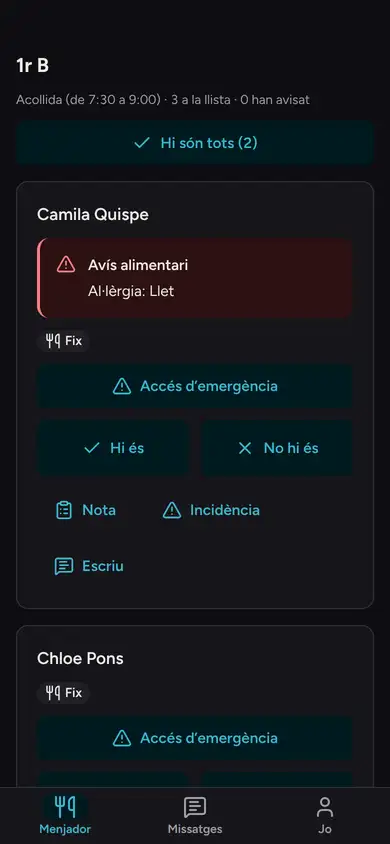
7:30. Next to each name, what the supervisor needs to know.
Children arrive one by one until 8:00. Núria ticks them off on her phone.
If a child has an allergy or a special diet, she sees it next to the name. She cannot open the health record, and does not need to: she sees what she needs to serve breakfast.
Module: Lunch and breakfast club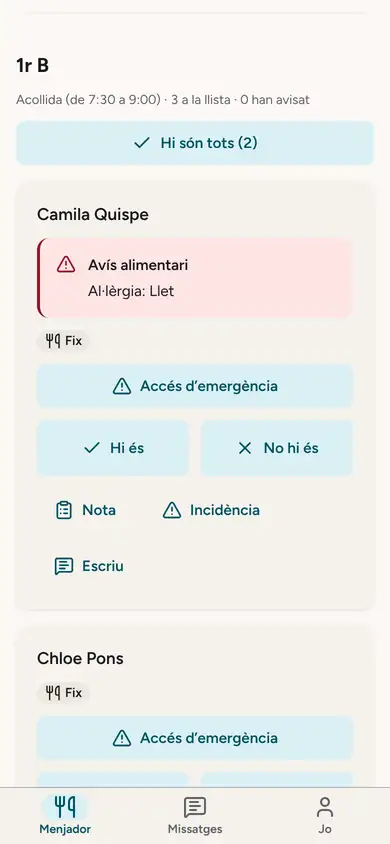
-
Secondary starts · Xavier Prats, head of studies
Secondary starts
Xavier Prats, head of studies
8:00. The English teacher is away on a training course. Her classes are already covered.
Before the bell, Xavier opens Today. "Now at school" shows who is away and, for each of her classes, who is taking it; alongside, whether any class is left uncovered.
Today, during English, each class tutor stays with their own class. Nobody had to write it on a whiteboard.
Module: Timetables · Today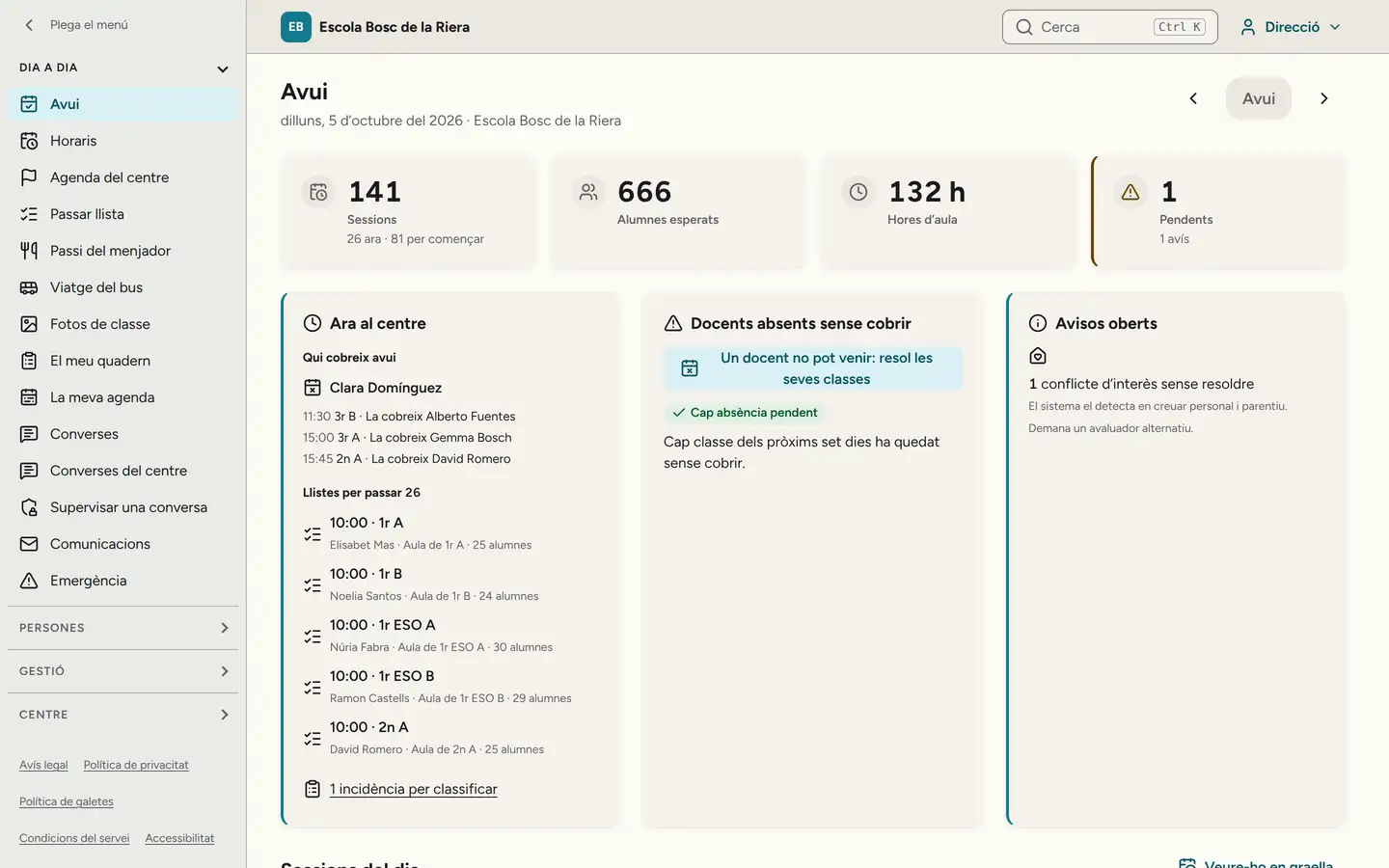
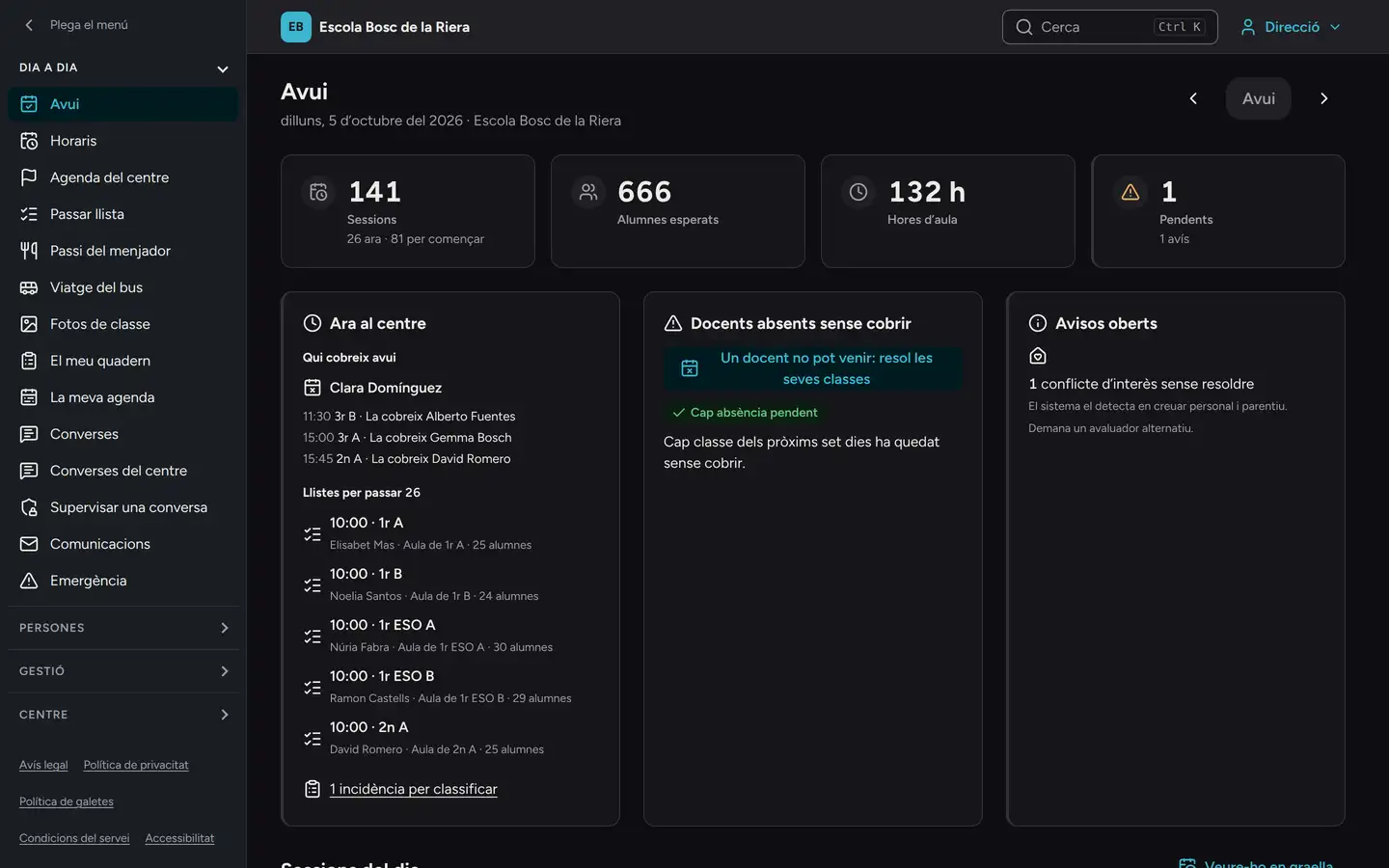
Xavier's Today screen, as it looks at 10:30. -
Primary starts · Laia Serrat, Year 5 A tutor
Nursery and primary start
Laia Serrat, Year 5 A tutor
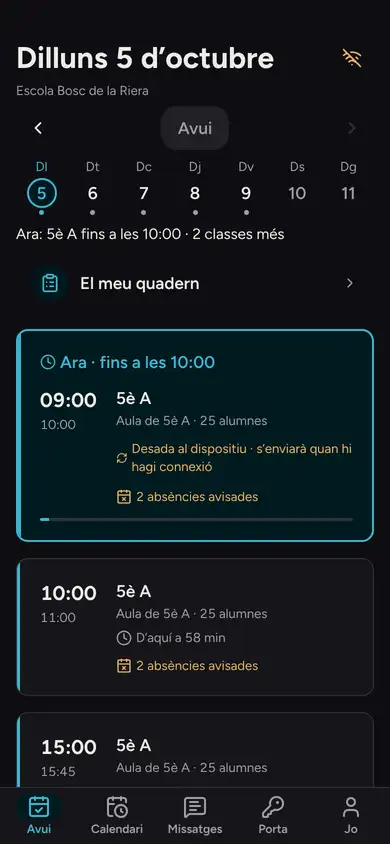
9:00. The register, even in the classroom with no signal.
Laia takes the register for Year 5 A on her phone. The two absences that families reported first thing are already there: no phone calls.
If the classroom has no signal, the register is saved encrypted on the device and sent by itself when the connection comes back. The screen says where it is: saved, sending or done.
Module: Attendance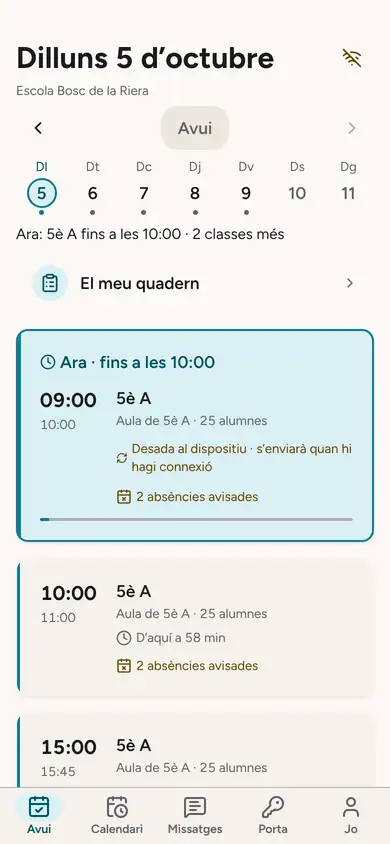
-
Lunch cut-off · Anna Ribera, school office
Lunch cut-off
Anna Ribera, school office
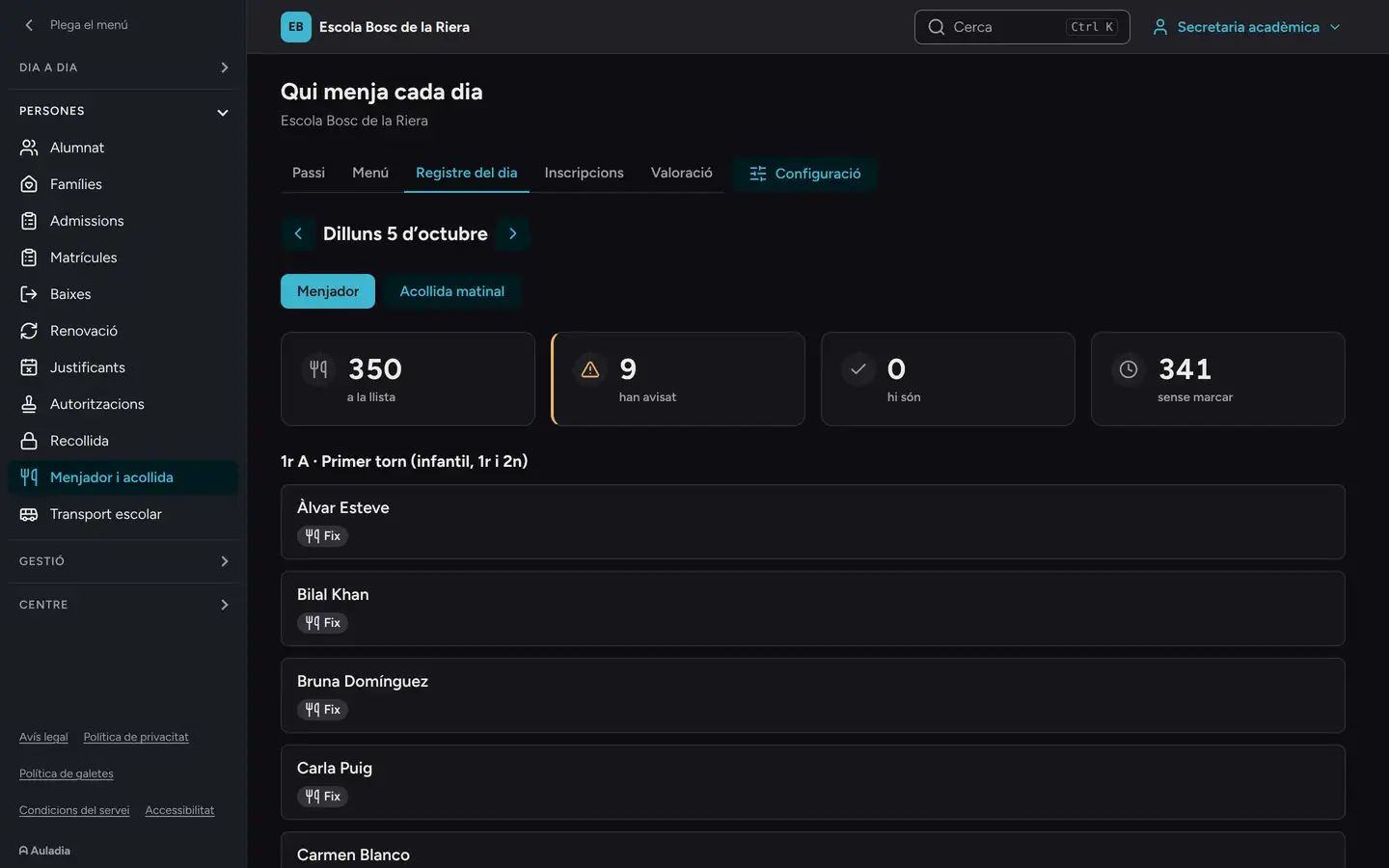
9:30. The kitchen knows how many meals to cook.
At 9:30 the day's lunch list closes. Regulars are already counted, and so are the tickets of children staying just today; children whose families reported them absent no longer are.
Module: Lunch · Billing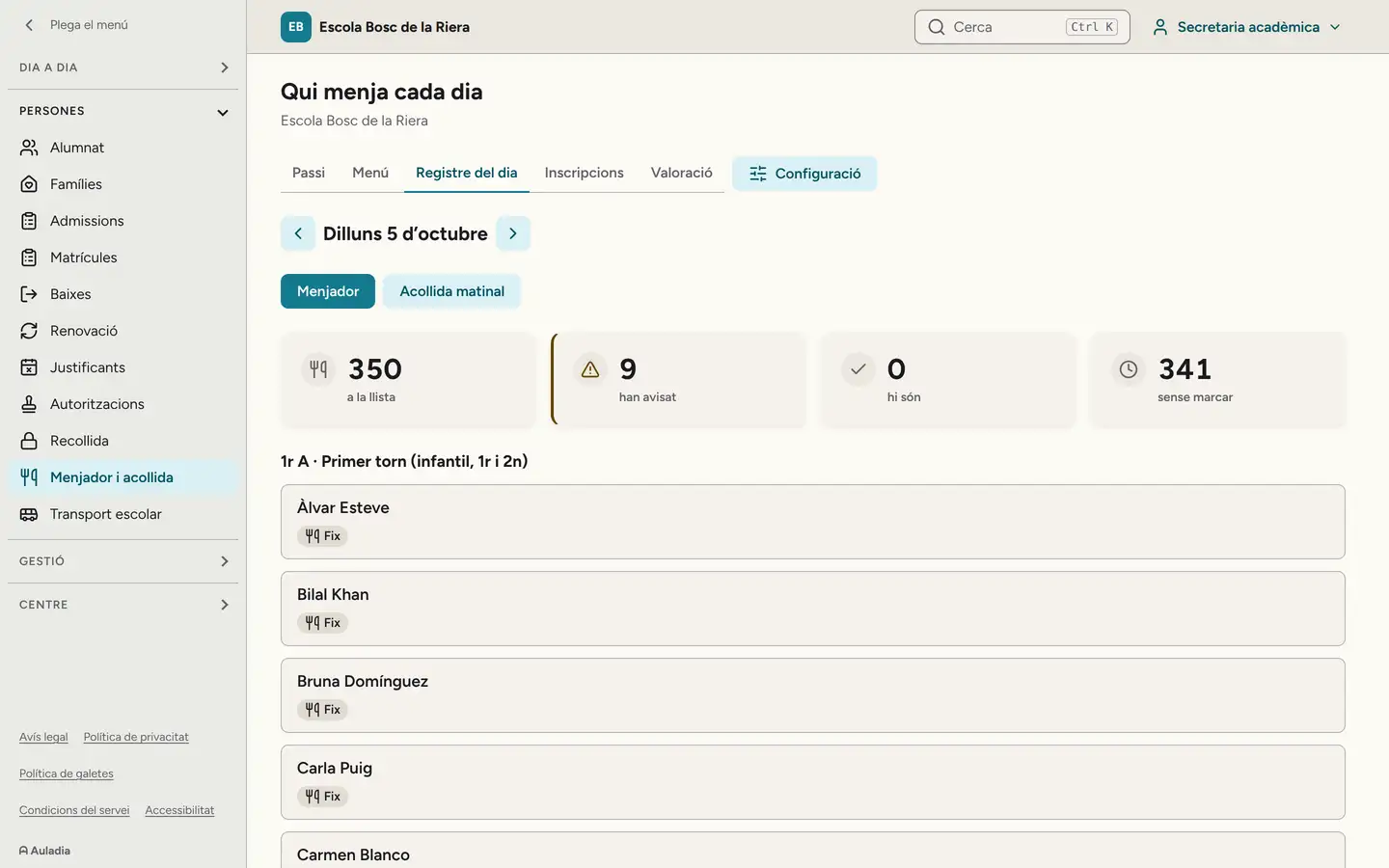
-
Break · Laia Serrat, Year 5 A tutor
Break
Laia Serrat, Year 5 A tutor
11:00. One consent form, two homes.
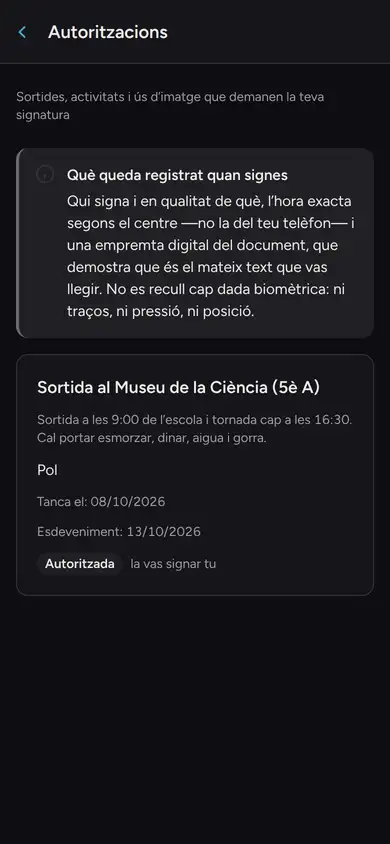
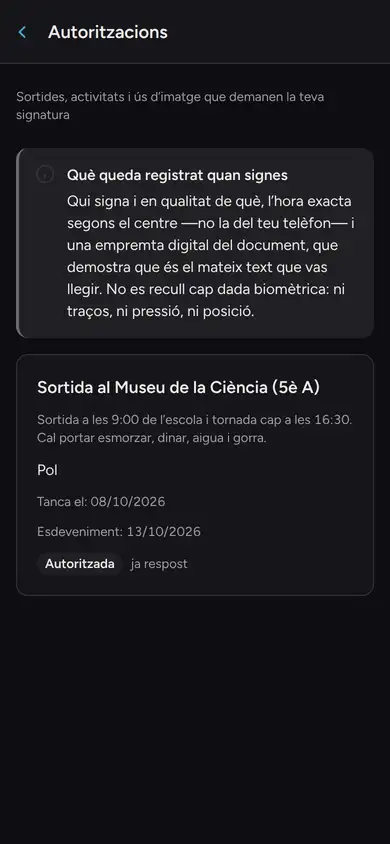
The consent form for the Year 5 A trip went out on Friday. Pol's parents are separated: it reached Rosa and Marc, each on their own phone.
His mother has signed it. His father's phone shows that it is authorised, but not who signed it or when: each has their own account and their own notifications.
Module: Messages · Consent forms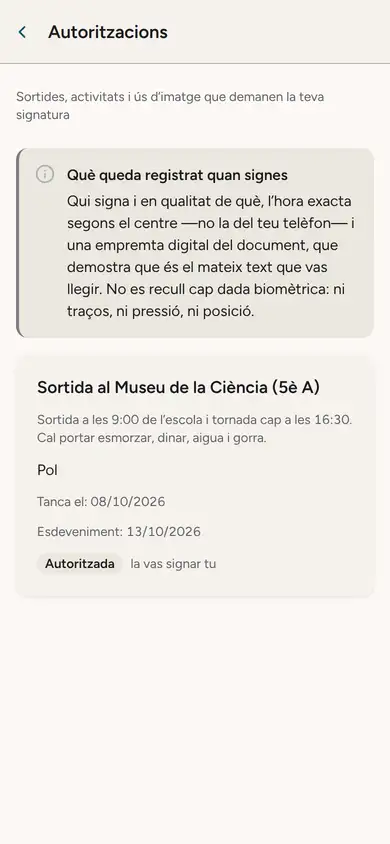
Rosa Sánchez, his mother 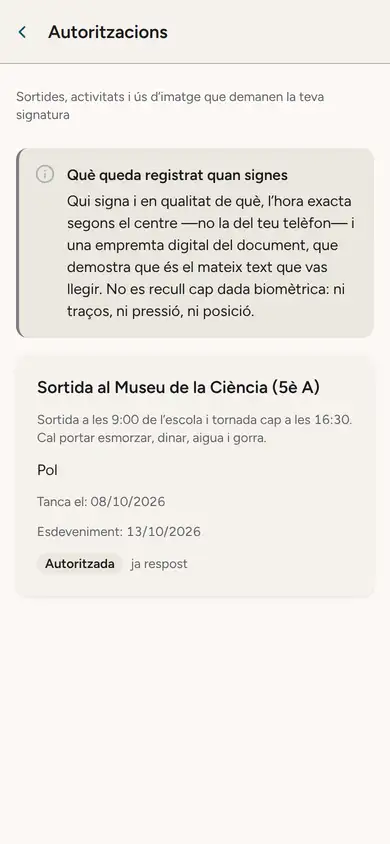
Marc Rovira, his father -
Midday · Núria Pallarès, lunch supervisor
Midday break, until 15:00
Núria Pallarès, lunch supervisor
12:30. Three sittings: 12:30, 13:30 and, for secondary, 14:30.
Núria takes the second sitting on her phone: "All here" in one tap and, when needed, a note or an incident next to a name.
Pol's mother checks the week's menu on her phone. On a day the dish contains gluten, the warning appears right under it.
Module: Lunch and breakfast club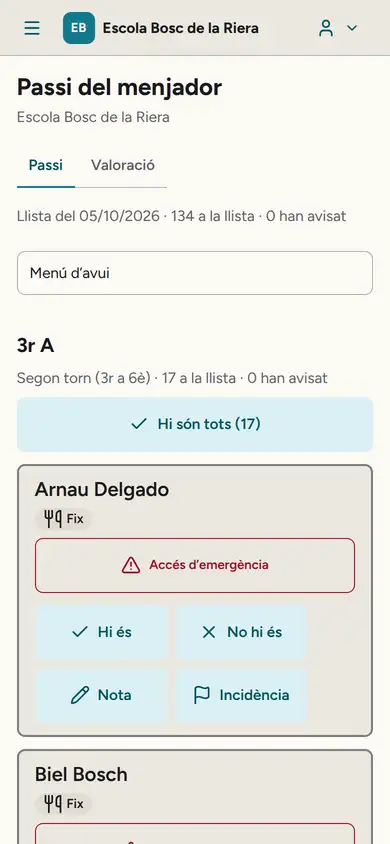
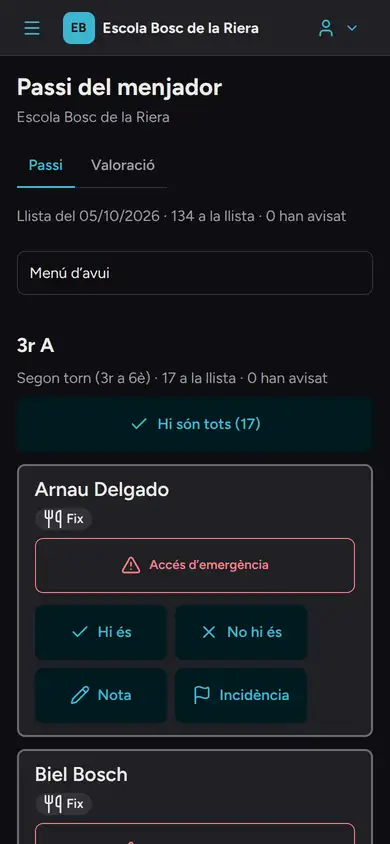
The lunch register, on Núria's phone. 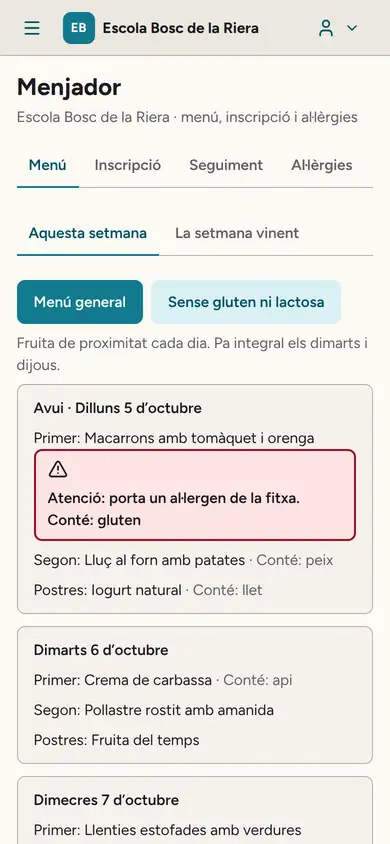
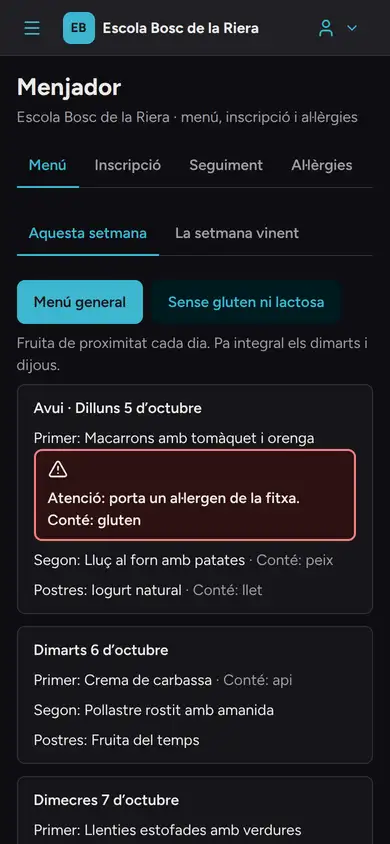
The menu, on Rosa's phone. This, with your own school’s classes? Request a demo
-
Afternoon · Laia Serrat, Year 5 A tutor
Afternoon lessons
Laia Serrat, Year 5 A tutor
15:00. Workshop photos, only for those who may appear in them.
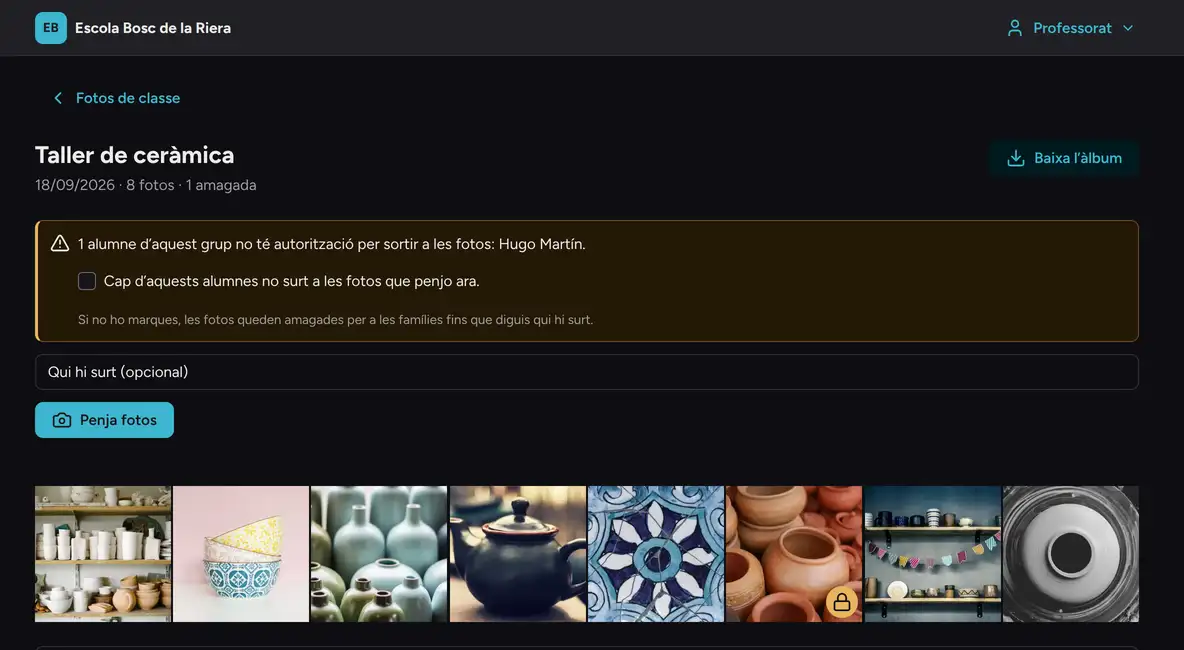
Laia opens the Year 5 A pottery workshop album and Auladia reminds her, right at the top, that Hugo has no image consent.
The photo he appears in carries a padlock: Laia can see it, families cannot. That is why Laia has 8 and Pol's mother 7, the ones she may view and download.
Module: Photos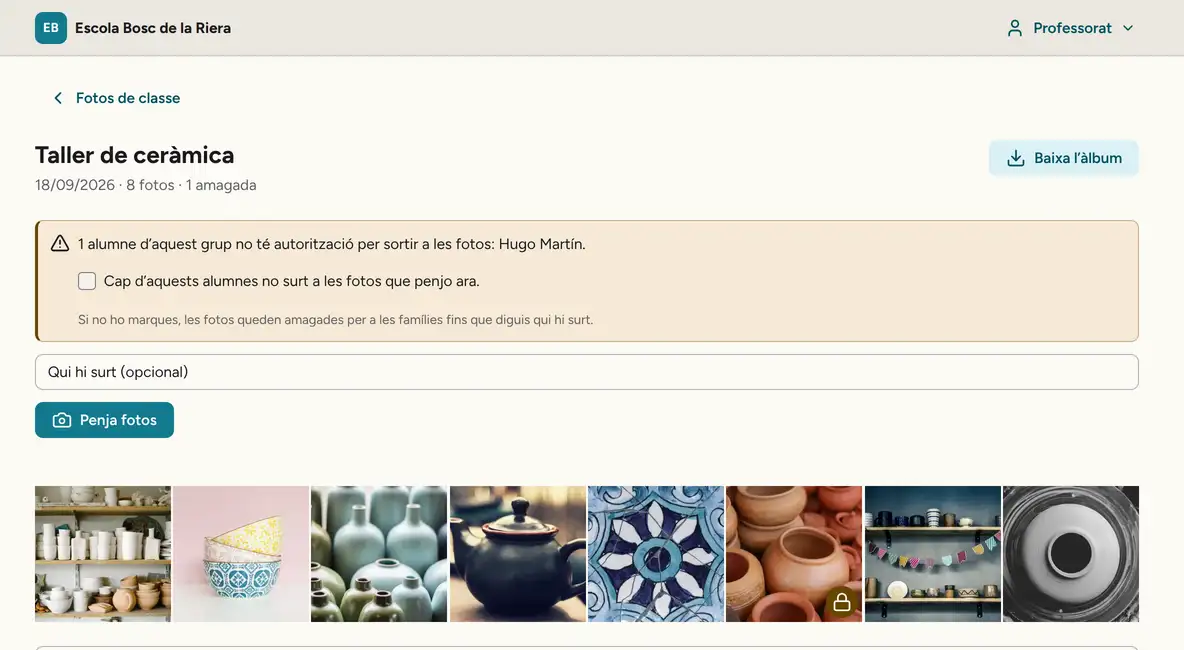
-
Home time · Laia Serrat, Year 5 A tutor and Ona's mother
Home time
Laia Serrat, Year 5 A tutor and Ona's mother
16:30. The Year 5 A tutor is also the mother of Ona, who is in Reception.
Her Today screen shows both: the Year 5 A register and, below it, what she needs to know about her daughter. No switching accounts, and each part with its own permissions.
At 16:40 the bus home leaves. Pol's mother already knows when it reaches her stop, and how the morning trip went.
Module: Shared roles · Transport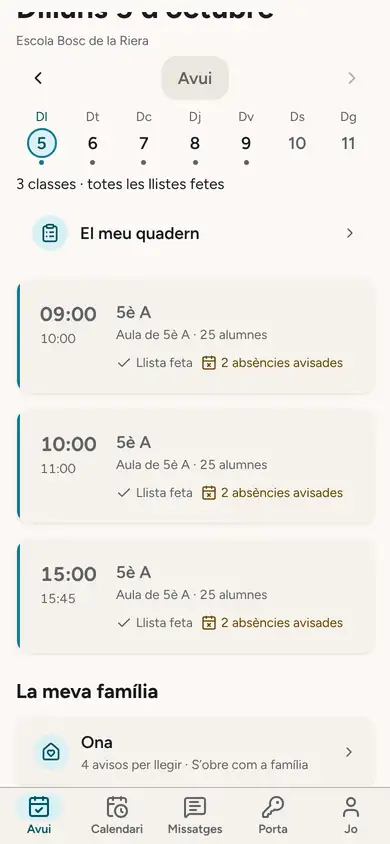
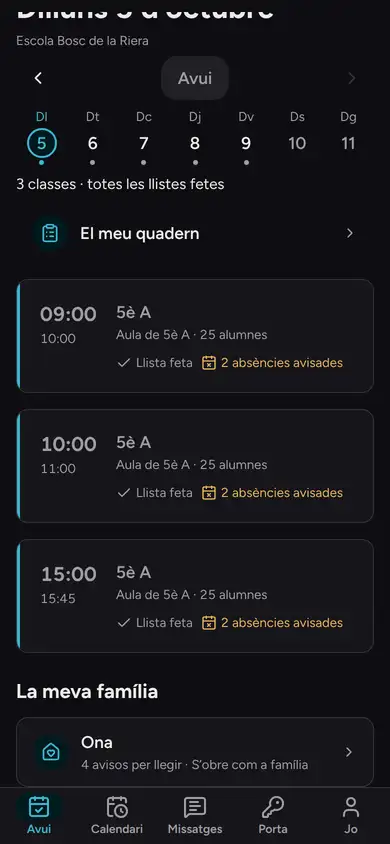
Laia's Today: her class and her daughter. 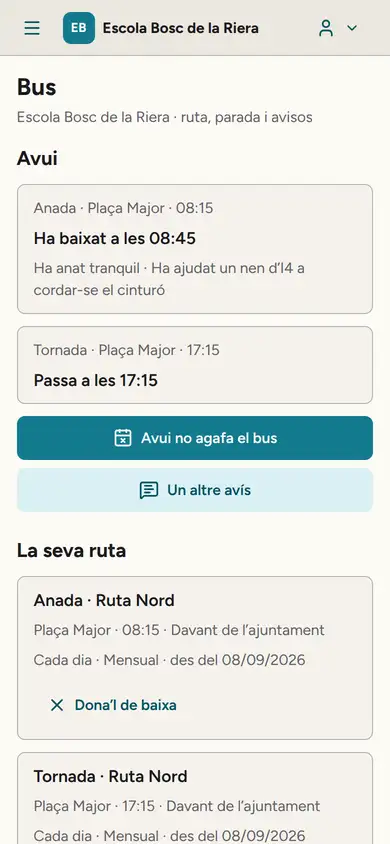
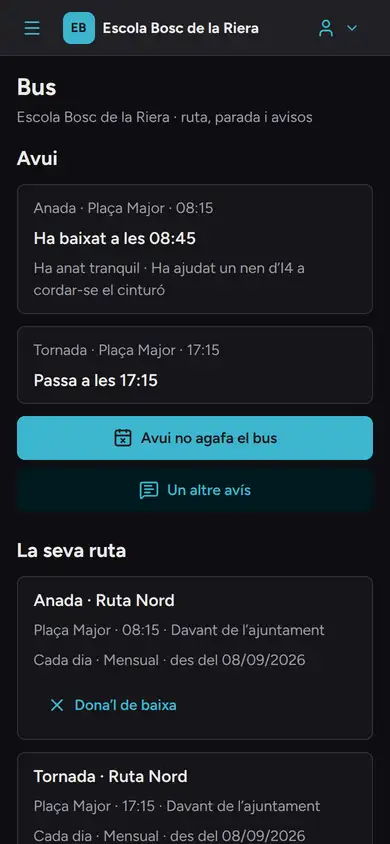
Pol's bus, on his mother's phone. -
After-school · Anna Ribera, school office
After-school ends
Anna Ribera, school office
18:00. Pol leaves robotics club. The club, lunch and the bus go on the same bill.
And it is split: half to his mother, half to his father. Rosa sees her bill, and not Marc's.
Module: Billing · SEPA direct debit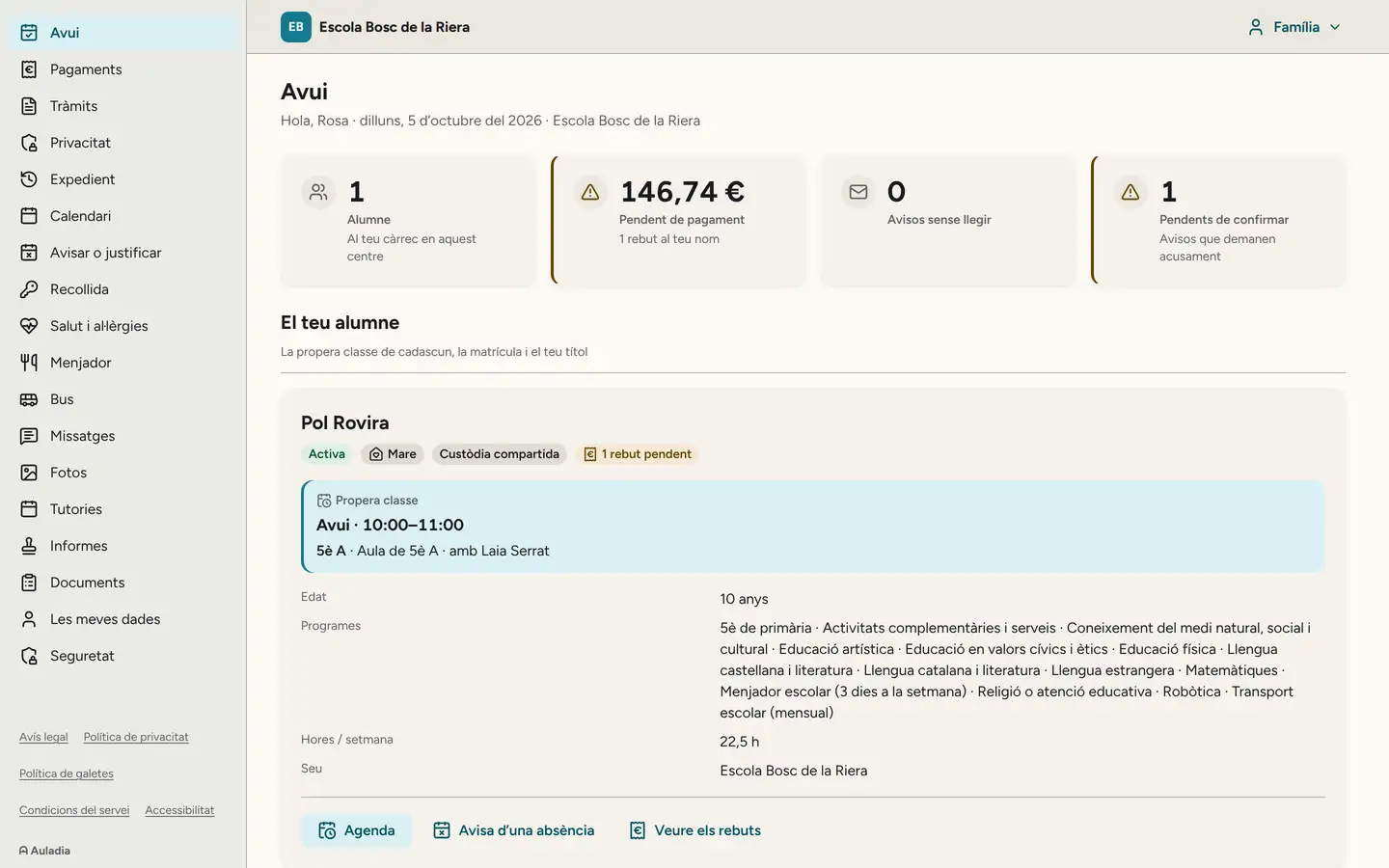
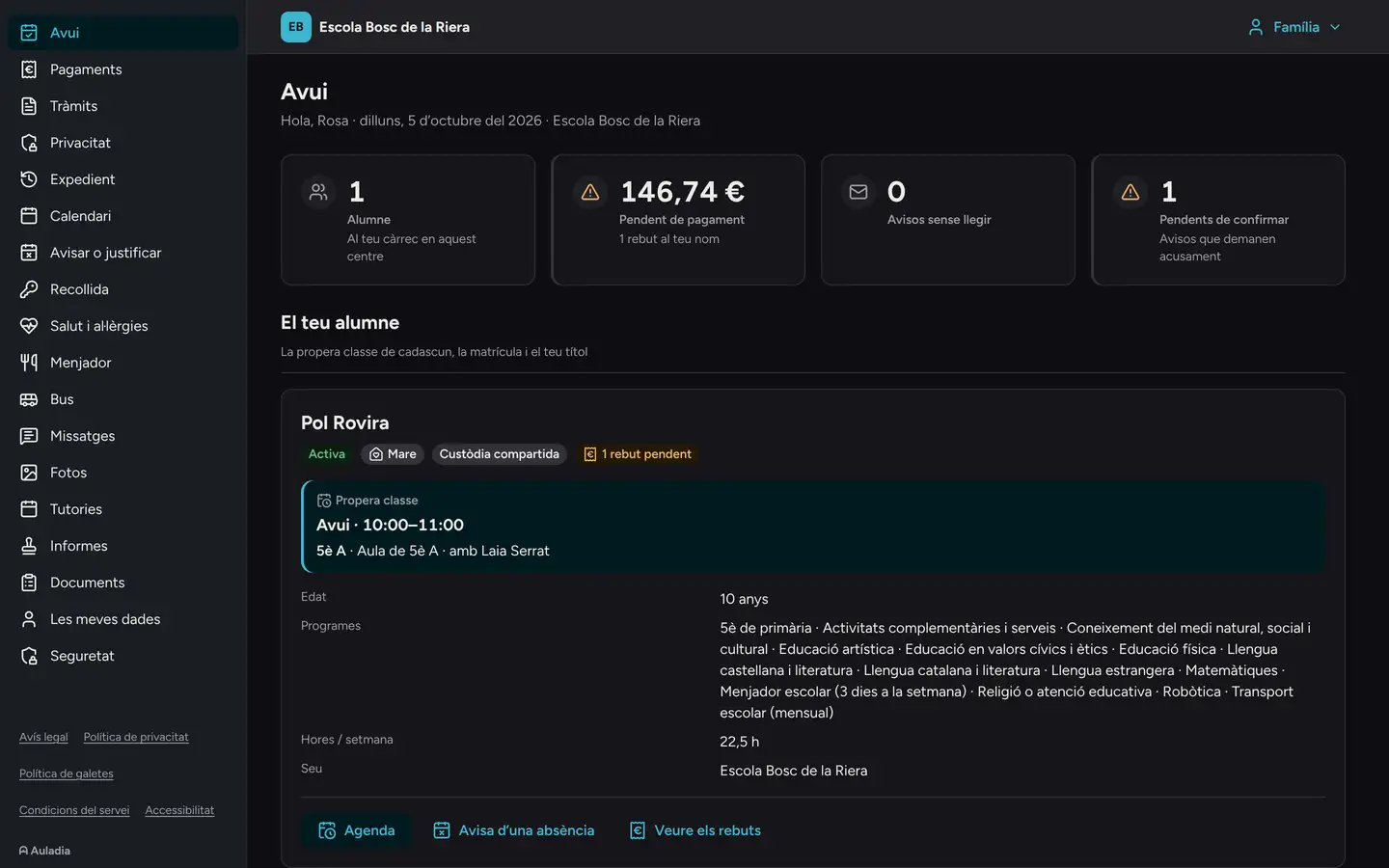


Each school, with its own name and colour.
Families see their school, not our brand. The school sets its name and picks its colour from the palette; text size, density and light or dark theme are up to each person.
A piece of Auladia's interface, built with the same colours and the same typeface as the product.
While the school sleeps
At 1:30, a program tries to see what it should not.
On nights when there is a new version, the test run logs in as every role of a test school and goes through 398 situations: what each person must be able to do and, above all, the 343 things they must not.
Health data and court orders are encrypted with a key that belongs to each school. Whoever may look at them does so with a second factor, and every look is logged.
In the last full isolation review, 21,900 attempts to read another school's data. None returned anything. Data will be hosted in the European Union, and so will the encrypted backups.
The log of the last run
- The run starts: one account for every role at a test school
- The lunch supervisor opens today's registerSees the allergy, never the medication
- A teacher and the front desk ask for the health recordDenied
- A father under a restraining order signs in with his own accountCannot see his child anywhere
- The family withdraws photo consentThe photos are hidden at once
- The tutor and the head of studies look up a pupil's financial situationDenied
- The tutor takes the register offline while the office changes an absenceNothing lost
- 398 situations, 343 denials checked. Run of the night of 1 October 2026.
Everyone sees what is theirs to see. The database checks it.
These are not hidden screens: if someone has no permission to see a piece of data, it does not come back. Pick a person at the school and see what they can see about Pol.
Showing the selected person.
| About Pol | Head teacher | Year 5 A tutor | Lunch supervisor | Pol's mother | Pol's father, separated |
|---|---|---|---|---|---|
| The assessment report | Yes | Yes She writes it. | No | Yes | Yes |
| Health data | With a second factor And the look is logged. | No No teacher sees it. | Only the diet What she needs to serve lunch. | Yes | Yes |
| The bills | Yes | No | No | Her own Not the father's. | His own Not the mother's. |
| The meeting the mother booked | Yes | Yes | No | Yes | No He can book his own. |
The next day
How you get there.
You tell us about your school.
A meeting with leadership and the office: classes, fees, the calendar and who does what.
We load your data.
We import the lists your current software or spreadsheet exports, and go through duplicates with you before confirming. For the next 24 hours the import can be undone.
The first month, with us.
Short training for each team and a direct contact for questions.
Switching to Auladia Guide: choosing school management software
Want to see your Monday?
On a video call we walk you through the day at the made-up school, with the software actually running. You log in as the head teacher, as a class tutor and as a parent, and see the same day from three chairs.
Request a demoNo commitment. The Auladia team replies within one working day.