Switching
You do not have to migrate alone.
The fear of switching software is not the price: it is losing data and having to ask families for paperwork again. So we import pupil, family and mandate data ourselves, and go through it with you before anything is confirmed.
Where you are coming from.
| From | How we do it | Worth knowing |
|---|---|---|
| Clickedu | With the spreadsheet lists Clickedu exports: pupils, families and whatever else is needed. | What Clickedu does not export (old official records, academic history) stays in Clickedu. |
| GWIDO | With GWIDO’s six lists, first as a dry run reviewed with the office. | The importer has not yet been tested with a real school’s export: we will do that with the first one. |
| A spreadsheet | One sheet per thing: pupils, families, mandates. | If a sheet is unclear, we ask. We do not guess. |
Before confirming, we look at it together.
The import shows what will be created, what is already there and will not be duplicated, what is left out and why, and every note row by row: a pupil listed twice, pupils not yet enrolled. Nothing is confirmed until the office has checked it, and for the next 24 hours the import can be undone.
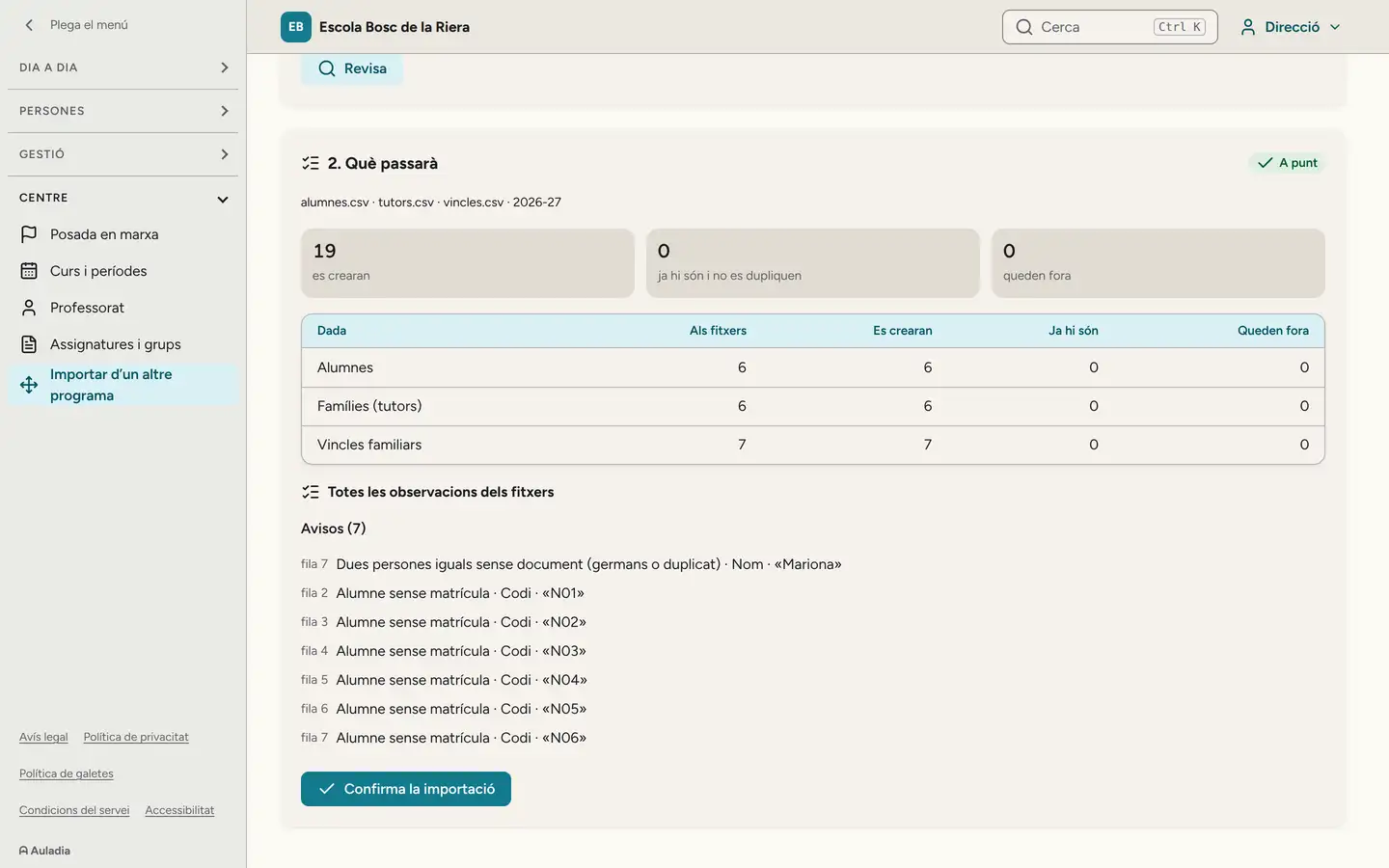
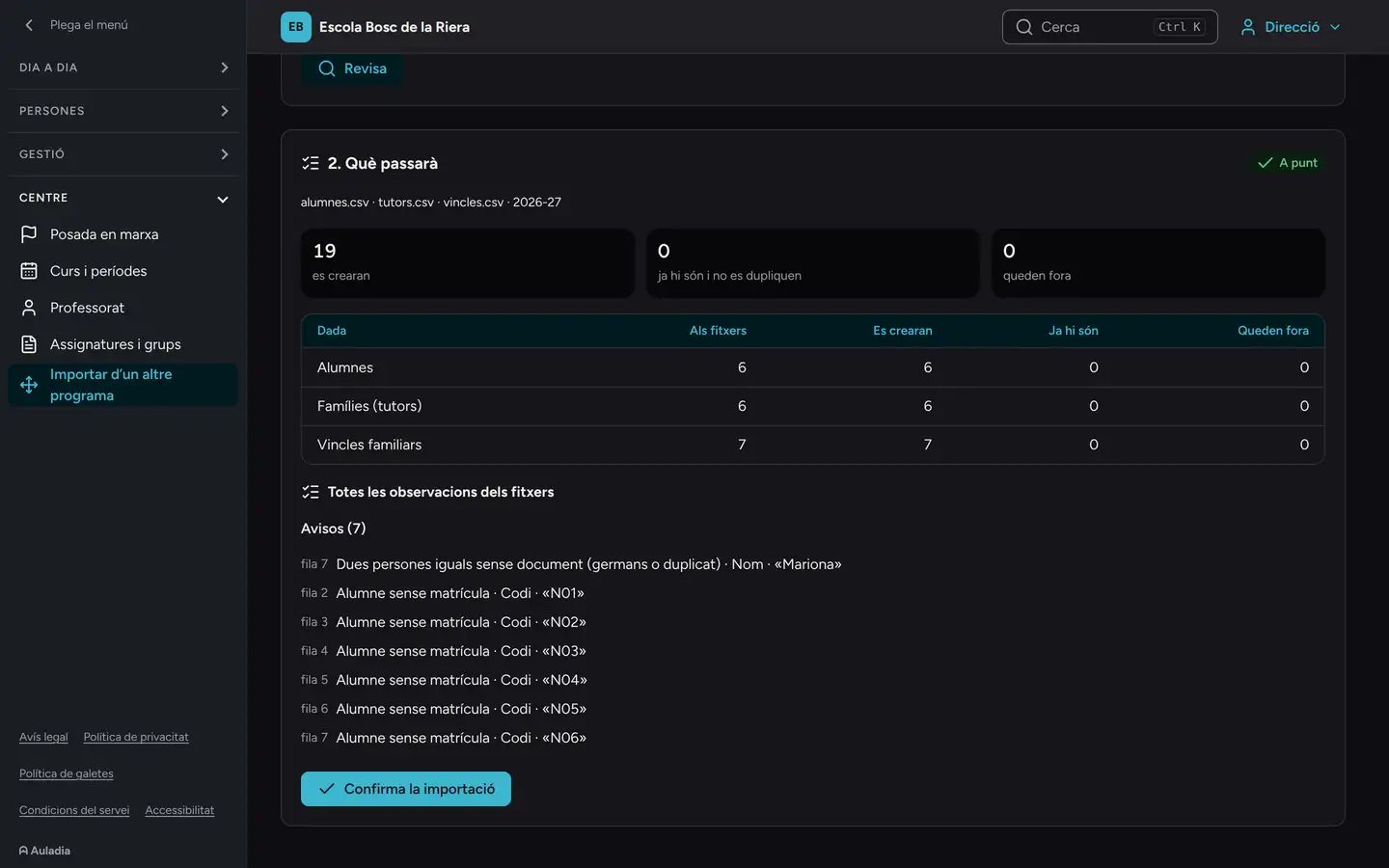


Paper mandates still count.
If direct debit mandates were already signed on paper, they are imported and valid from the first month, once the school states where it keeps the originals. No family has to sign again.
Getting started
- 1. A meeting
- To get to know the school: classes, fees, rooms, the calendar and who does what.
- 2. Setup
- The school year timetable, fees and the modules you need.
- 3. The import
- Reviewed with the office.
- 4. Training
- One session for leadership and the office, and a short one for teachers.
- 5. Families
- They get their invitation by email.
- 6. The first month
- With us, and a direct contact for questions.
If you already use Clickedu.
Auladia already produces the official end-of-year records, with signatures and the head’s approval, and the academic history for primary and lower secondary. It does not yet exchange data with the RALC, the Catalan pupil register, or produce the transfer report, the end-of-primary report or the guidance report. Records and histories from earlier years stay in Clickedu: let’s talk before you decide anything.
Guide: assessment records and academic historyYou arrive with your data, and you leave with your data.
The data belongs to the school. Leadership requests the export from the export screen, and Auladia prepares the whole package: every one of the school’s tables in CSV and JSON with a description of each field, invoices, receipts, reports and certificates as PDF, the VERI*FACTU records, the direct debit files exactly as they went to the bank, documents and photos. It is downloaded through a temporary link. There is no need to ask us or wait for anyone.
If the school leaves the service, once the data has been handed over it is deleted, except what the law requires us to keep. The data processing agreement we sign before any real data is loaded says so.
If the download of a very large package is interrupted, it starts again: each link allows five downloads within 24 hours, and another one can be created.
Security and dataShall we look at your data?
In the demo we tell you what we can import from the software you use now.
Request a demo